> ## Documentation Index
> Fetch the complete documentation index at: https://helpdesk.quso.ai/llms.txt
> Use this file to discover all available pages before exploring further.
# Connect YouTube Account
> Follow these simple steps and connect your YouTube account.
## **How to Link a YouTube Channel**
You can link a YouTube channel with our platform. When authorizing YouTube with Ayrshare, you will be redirected to Google to log in, authorize Ayrshare, and select a YouTube channel. Please be sure your Google account is permitted to manage the YouTube channel you want to connect and that the channel is public.
## **Linking YouTube**
### **Go to the Manage Accounts page**
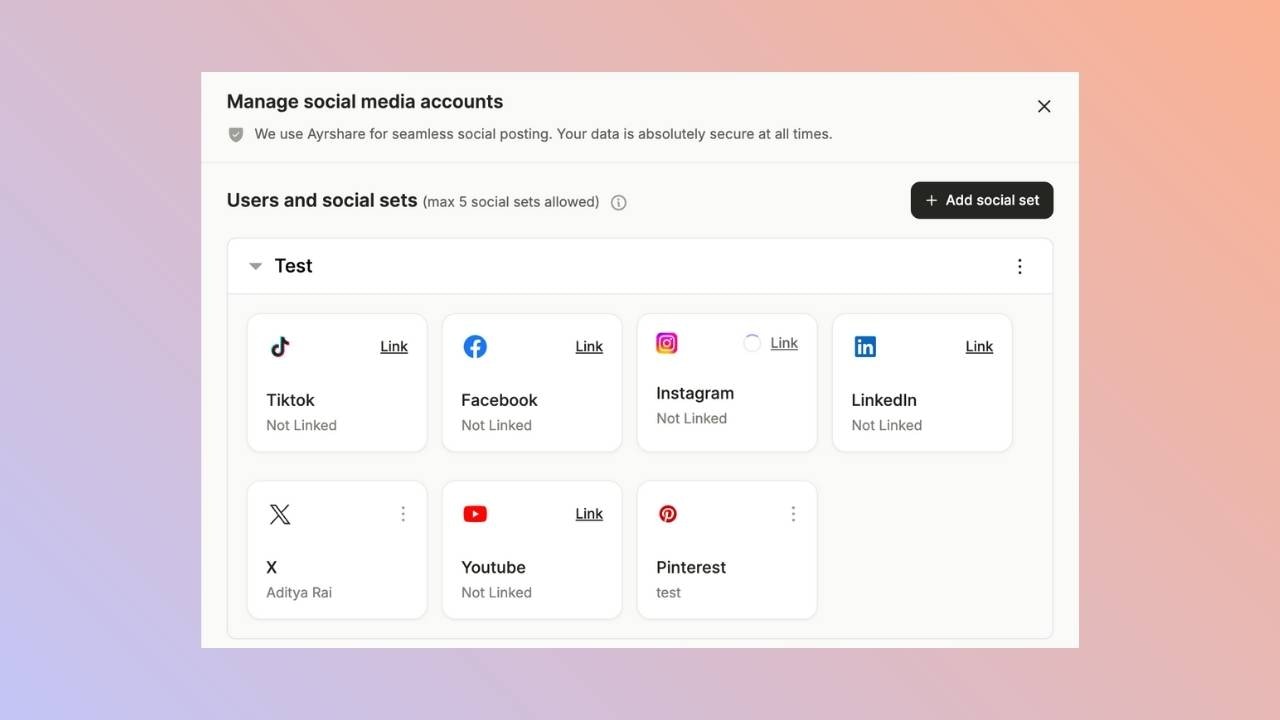
Open the manage accounts page from the social tab and click on the link button. This will open a new tab.
 ### **Click to Link YouTube**
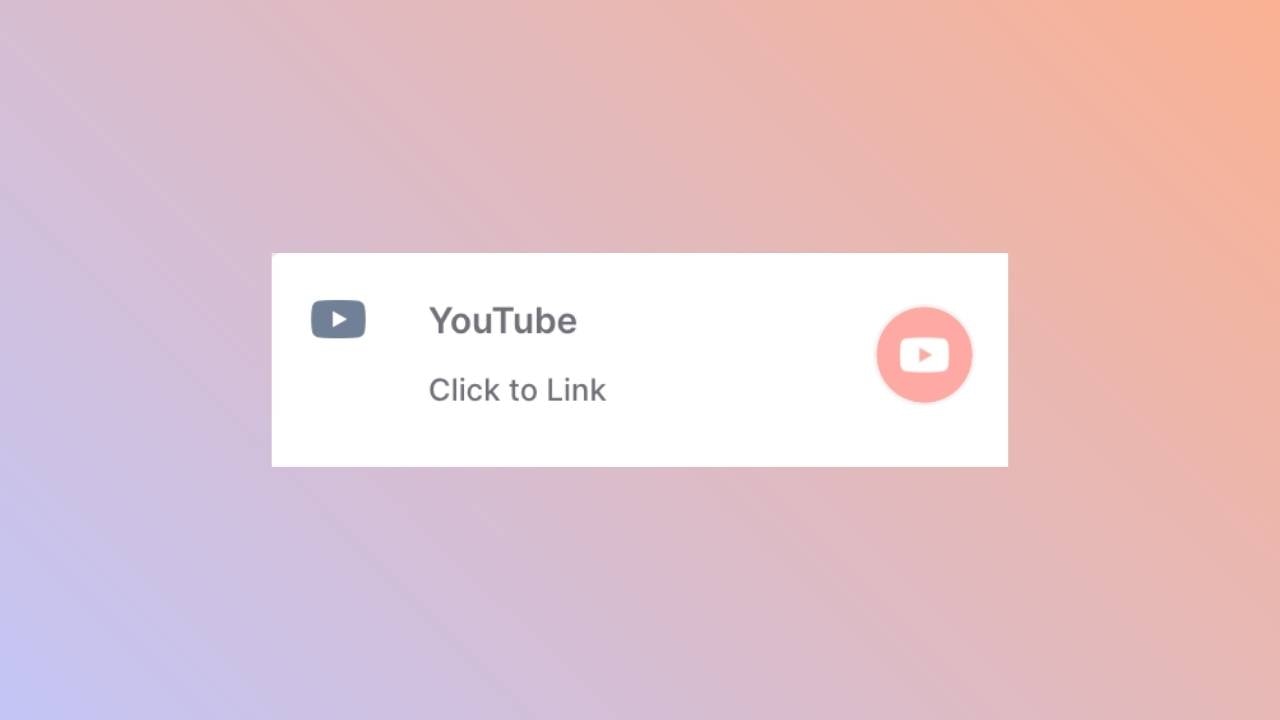
Click the YouTube icon on the Ayrshare Social Account linking page.
### **Click to Link YouTube**
Click the YouTube icon on the Ayrshare Social Account linking page.
 ### **Google Login**
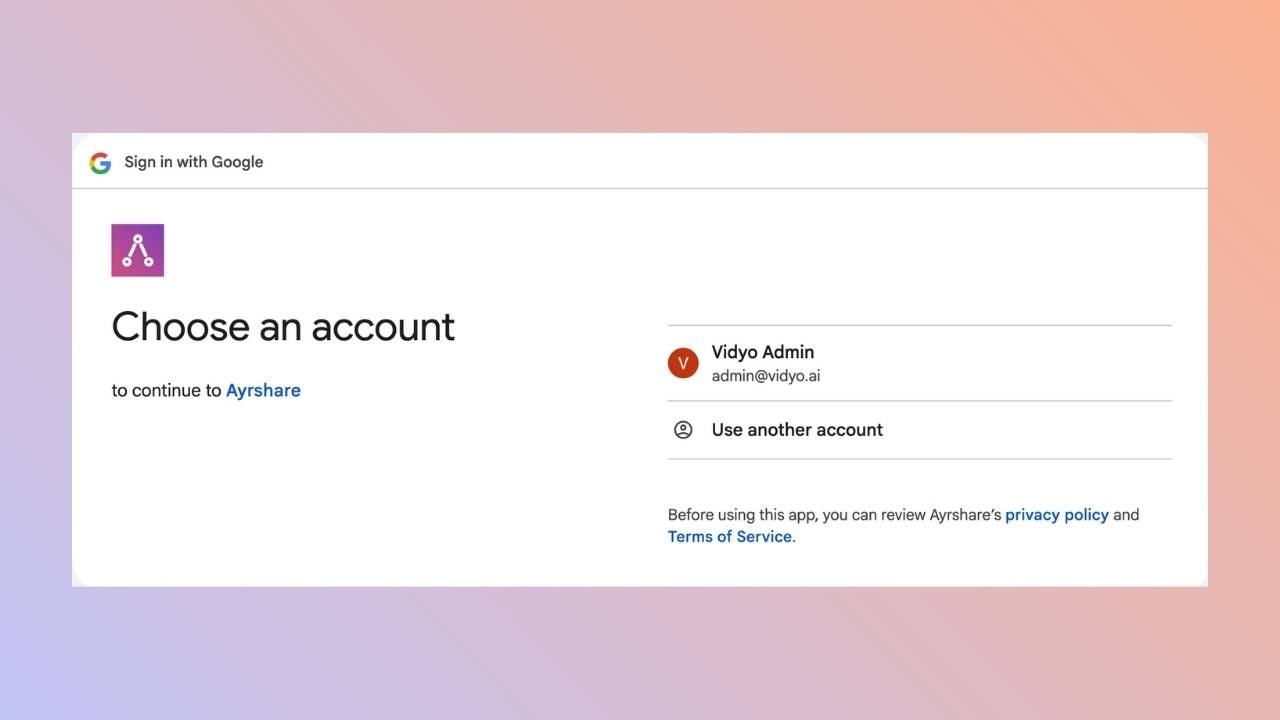
The page will be redirected to either a Google login page or a list of currently logged in Google accounts.
### **Google Login**
The page will be redirected to either a Google login page or a list of currently logged in Google accounts.
 ### **Choose a YouTube Channel**
Select a Google account that is associated with the YouTube channel you want to connect.
### **Select a YouTube Channel**
Select the YouTube channel you want to connect.
### **Authorize Access**
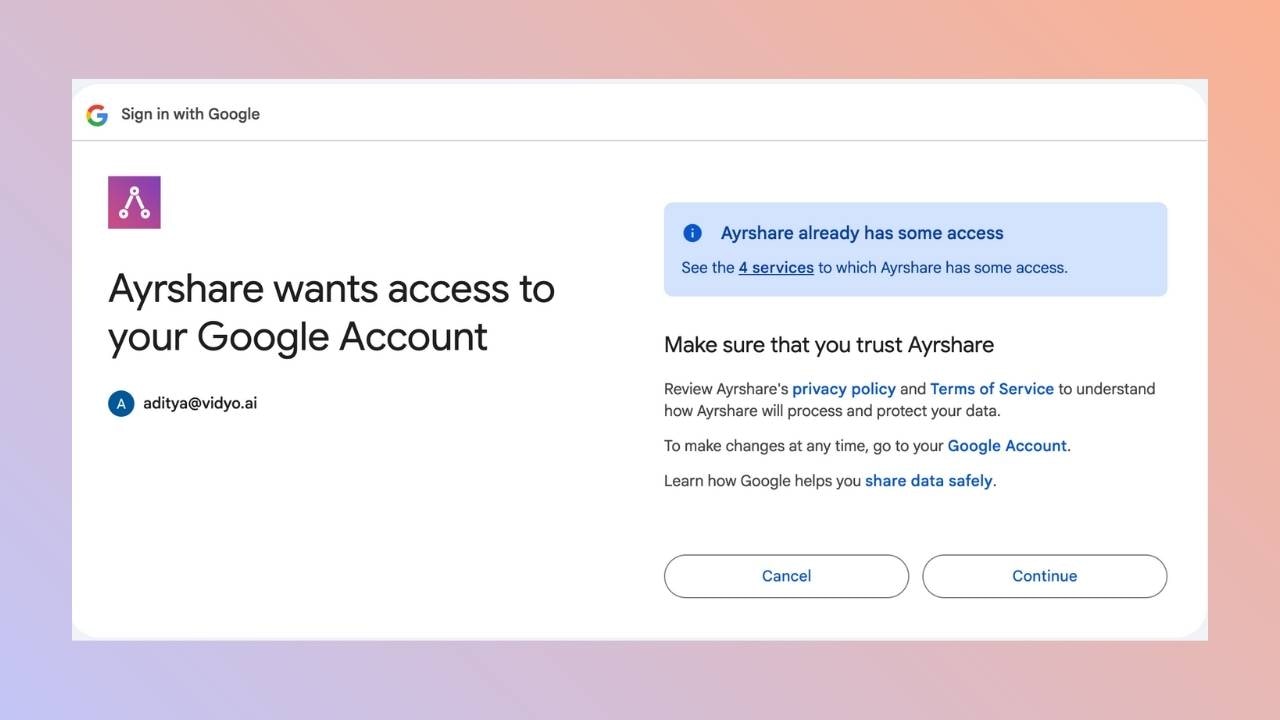
You may then see one or two screens requesting permissions. Click *Continue* on each screen.
### **Choose a YouTube Channel**
Select a Google account that is associated with the YouTube channel you want to connect.
### **Select a YouTube Channel**
Select the YouTube channel you want to connect.
### **Authorize Access**
You may then see one or two screens requesting permissions. Click *Continue* on each screen.
 Once complete, you will be returned to the Ayrshare social linking page.
### **Confirmation**
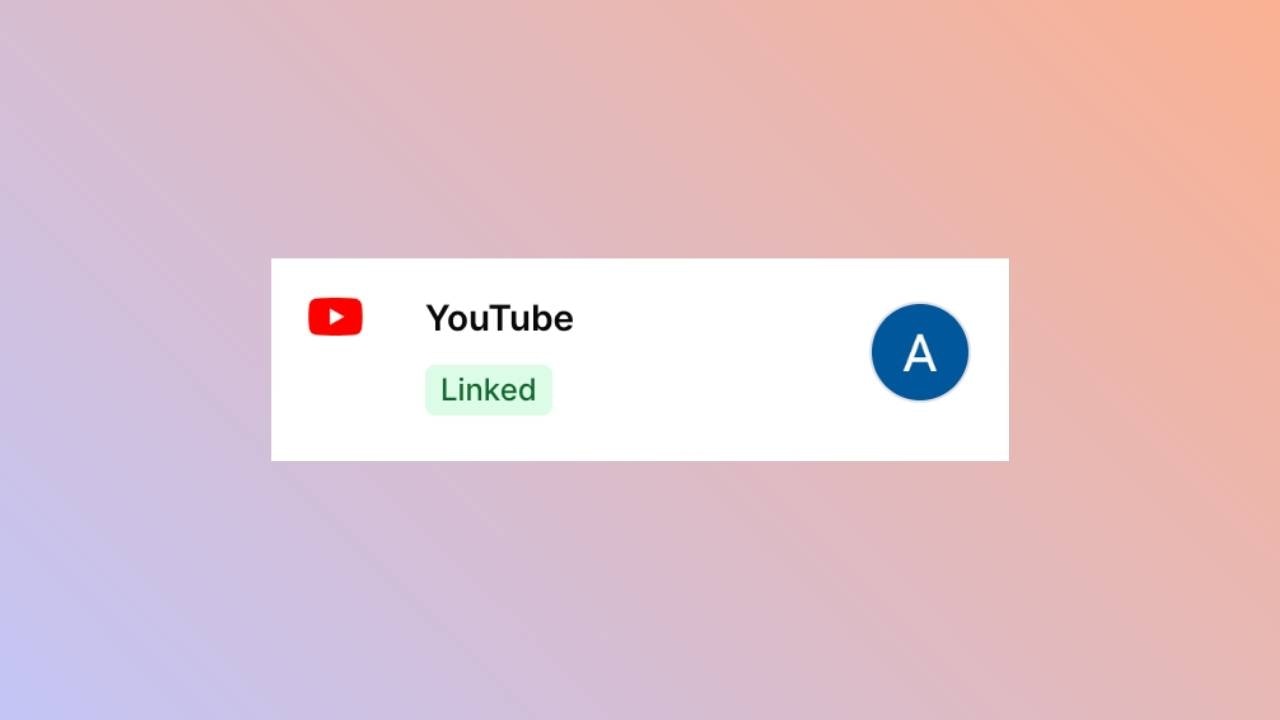
Your Social Accounts page will now be updated with your YouTube account.
Once complete, you will be returned to the Ayrshare social linking page.
### **Confirmation**
Your Social Accounts page will now be updated with your YouTube account.
 ## **You’re All Set!**
You’ve successfully linked your LinkedIn account to our platform!\
You can now **post or schedule media** directly through our dashboard with ease.\
Need more help? Feel free to reach out to our support team anytime.
## **Troubleshooting YouTube Linking**
YouTube posting requires your YouTube account to have at least one Channel and be an owner on the Channel. To create a YouTube Channel, click on your profile in the YouTube Dashboard and choose “Create a Channel”.
## **You’re All Set!**
You’ve successfully linked your LinkedIn account to our platform!\
You can now **post or schedule media** directly through our dashboard with ease.\
Need more help? Feel free to reach out to our support team anytime.
## **Troubleshooting YouTube Linking**
YouTube posting requires your YouTube account to have at least one Channel and be an owner on the Channel. To create a YouTube Channel, click on your profile in the YouTube Dashboard and choose “Create a Channel”.