> ## Documentation Index
> Fetch the complete documentation index at: https://helpdesk.quso.ai/llms.txt
> Use this file to discover all available pages before exploring further.
# How Credits Work?
## What are credits?
Credits are the units used for video creation within quso.ai. Each minute of video you upload consumes one credit. For example, processing a 10-minute video will use 10 credits.
Credits are only used when you upload a video. Once uploaded, you can edit, publish to social media, or download clips without using any additional credits.
If you are on an **annual plan**, you’ll receive all your credits for the full 12 months upfront.\
If you are on a **monthly plan**, you’ll receive your credits one month at a time.
## Calculation of credit usage
For **AI Clips, AI Captions, AI Writer** features credits are calculated by length of the imported video. For example, if your imported video is 42 minutes in length, you will use up 42 credits.
* Videos less than 1 min are rounded up to 1 credit. (Eg, a 40-second video is rounded up and will use up 1 credit)
* Videos with partial minutes are also rounded up to the nearest minute (Eg. 25 min 40 sec long it will use up 26 credits)
For **AI Influencer & AI Text to Video**, the approximate length of the final video is the number of credits you will use up.
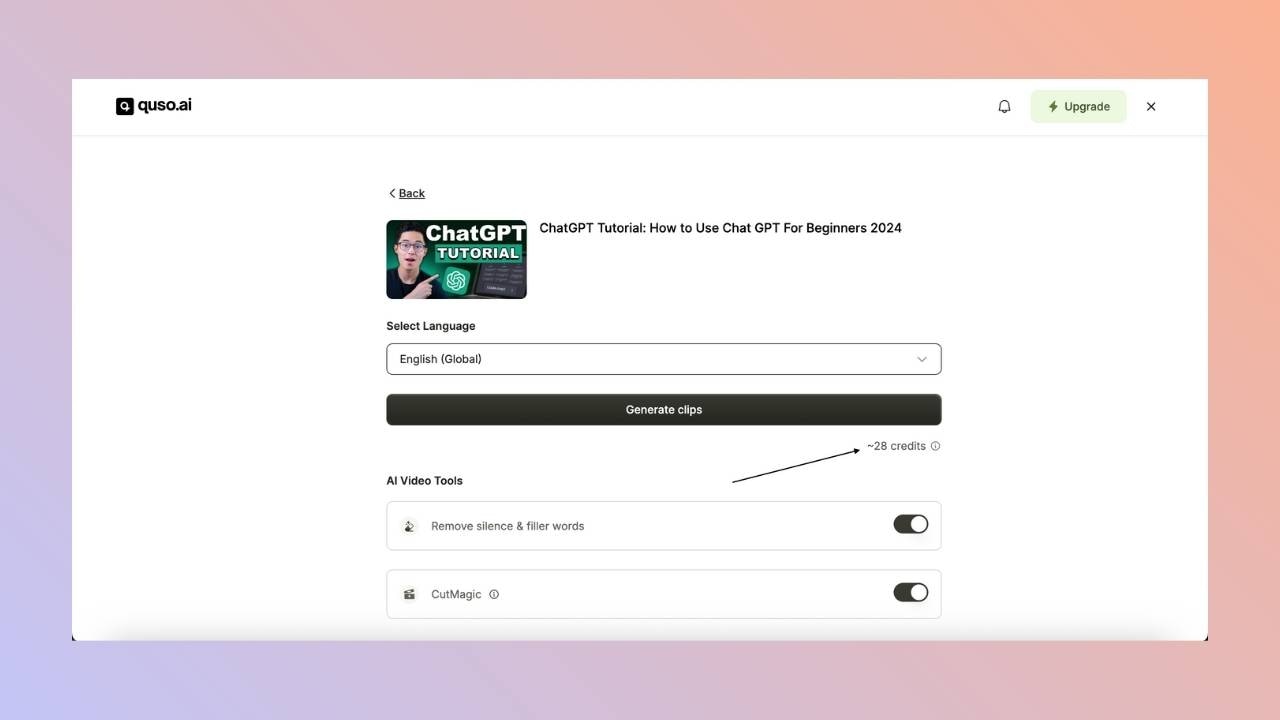
Credit usage is always shown upfront before you start any processing or any deduction of credits.
 ## Credit Refunds
Any credits deducted for videos or projects that did not process will be auto-refunded.\
If you are not happy with the output, you can reach out to us, and we will reimburse the credits for you.
## Do credits expire?
Credits from your **base plan** expire at the end of each subscription period.
* If you're on a **monthly plan**, unused credits will **not roll over** to the next month.
* If you're on an **annual plan**, credits will reset at the end of the 12-month period.
However, this **does not apply to add-on credits** purchased separately. These **do not expire** and can be used at any time.
## How do I get more credits?
There are many different ways to get more credits:
* **Adding Credits**\
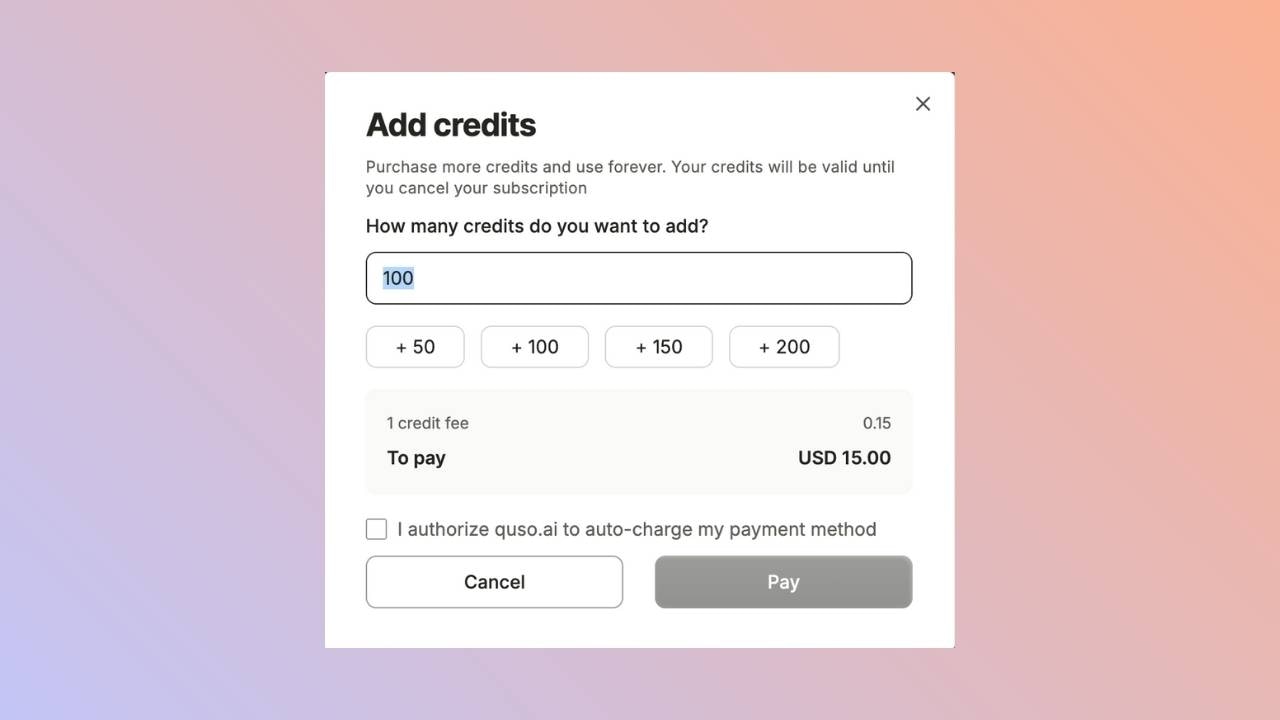
You can add more credits to your plan anytime by clicking the **"Add Credits"** button located at the bottom left of the home page. Each credit costs **\$0.15**, though the price may vary based on your region.
## Credit Refunds
Any credits deducted for videos or projects that did not process will be auto-refunded.\
If you are not happy with the output, you can reach out to us, and we will reimburse the credits for you.
## Do credits expire?
Credits from your **base plan** expire at the end of each subscription period.
* If you're on a **monthly plan**, unused credits will **not roll over** to the next month.
* If you're on an **annual plan**, credits will reset at the end of the 12-month period.
However, this **does not apply to add-on credits** purchased separately. These **do not expire** and can be used at any time.
## How do I get more credits?
There are many different ways to get more credits:
* **Adding Credits**\
You can add more credits to your plan anytime by clicking the **"Add Credits"** button located at the bottom left of the home page. Each credit costs **\$0.15**, though the price may vary based on your region.
 * **Upgrading Your Plan**\
Need more credits or additional features? You can upgrade to a higher-tier plan to receive more monthly credits along with access to all the benefits that come with that tier.
* **Switching to an Annual Plan**\
Switching from a monthly to an annual plan gives you all 12 months’ worth of credits upfront—perfect for those who prefer to plan ahead or use more credits at once.
## How are credits consumed in my team workspace?
Only the **team owner** can purchase a paid plan for the team. Once the plan is active, **credits are shared** across all team members.
* **Upgrading Your Plan**\
Need more credits or additional features? You can upgrade to a higher-tier plan to receive more monthly credits along with access to all the benefits that come with that tier.
* **Switching to an Annual Plan**\
Switching from a monthly to an annual plan gives you all 12 months’ worth of credits upfront—perfect for those who prefer to plan ahead or use more credits at once.
## How are credits consumed in my team workspace?
Only the **team owner** can purchase a paid plan for the team. Once the plan is active, **credits are shared** across all team members.