> ## Documentation Index
> Fetch the complete documentation index at: https://helpdesk.quso.ai/llms.txt
> Use this file to discover all available pages before exploring further.
# Upgrade & Downgrade
## Upgrading your current plan
To upgrade your quso.ai subscription:
1. **Click the "Upgrade" button** located at the bottom left corner of your homepage.
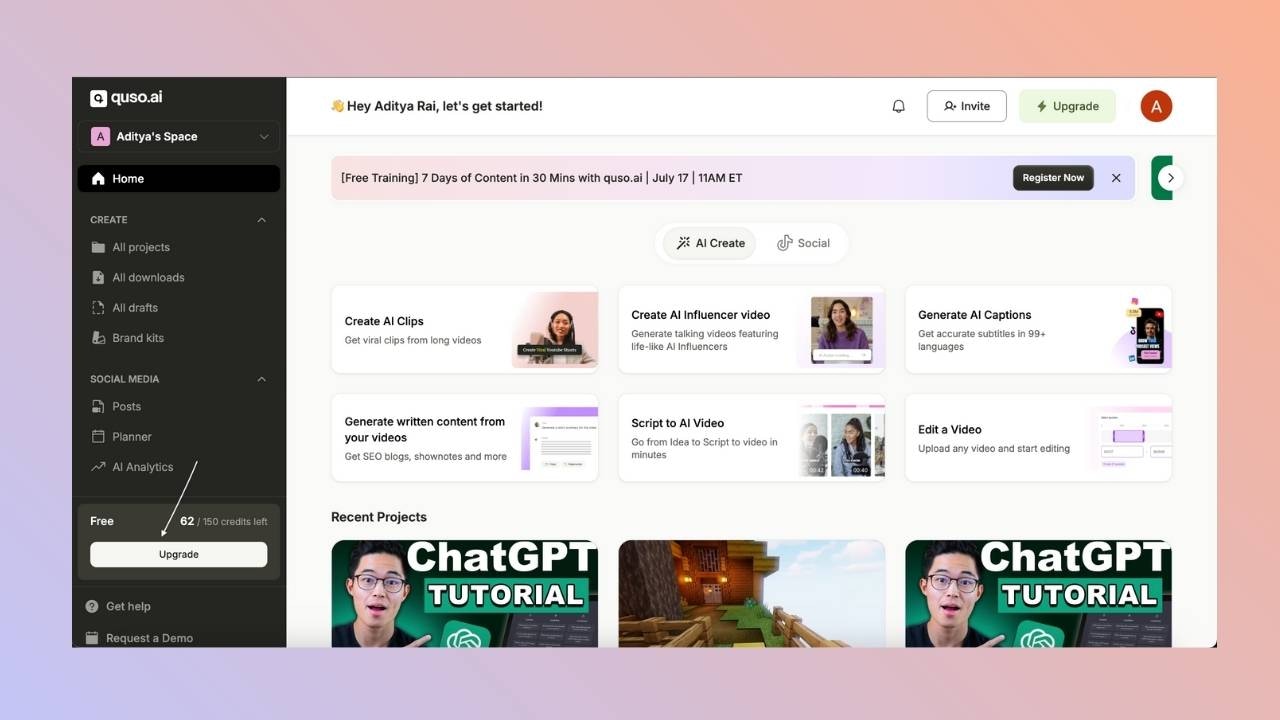 2. **Choose the plan** you’d like to switch to from the list of available options. You can even change the type of plan from monthly to annual or vice versa.
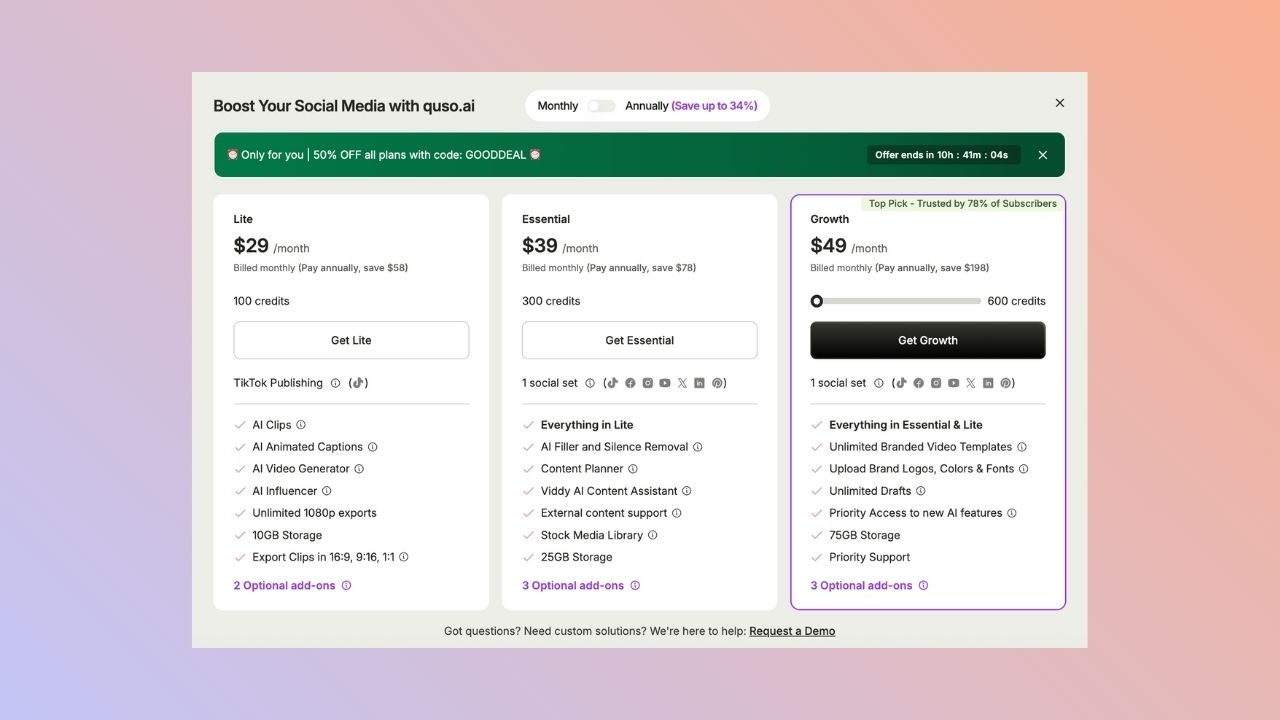 3. **Complete the payment process** — your new plan will activate immediately after purchase.
## Downgrading Your Current Plan
To downgrade to a lower-tier plan:
1. **Click the "Upgrade" button** located at the bottom left corner of your homepage.
2. Once the upgrade window opens, **select the plan** you wish to downgrade to.
3. **Complete the payment process** — your new plan will activate immediately after purchase.
## Downgrading Your Current Plan
To downgrade to a lower-tier plan:
1. **Click the "Upgrade" button** located at the bottom left corner of your homepage.
2. Once the upgrade window opens, **select the plan** you wish to downgrade to.
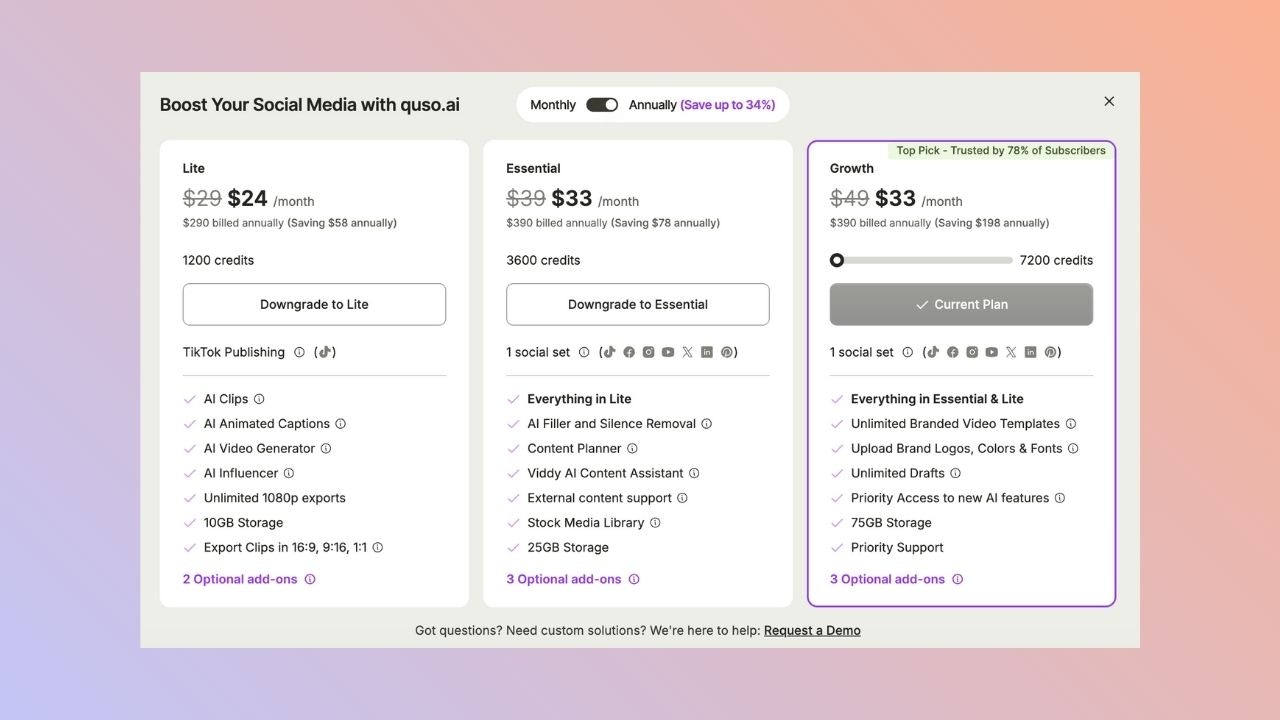 3. **Confirm the change** — your current plan will be changed to the downgraded one immediately, and the different in the cost will be adjusted in your next billing cycle.
If you downgrade before your billing cycle ends:
* The **difference in cost** will be **added as credit** to your account.
* This credit will be **automatically applied** to your **next billing cycle**.
* The exact credit depends on how much time is left on your current plan at the time of the downgrade.
3. **Confirm the change** — your current plan will be changed to the downgraded one immediately, and the different in the cost will be adjusted in your next billing cycle.
If you downgrade before your billing cycle ends:
* The **difference in cost** will be **added as credit** to your account.
* This credit will be **automatically applied** to your **next billing cycle**.
* The exact credit depends on how much time is left on your current plan at the time of the downgrade.