> ## Documentation Index
> Fetch the complete documentation index at: https://helpdesk.quso.ai/llms.txt
> Use this file to discover all available pages before exploring further.
# Viddy: ChatGPT for your Video
# 🤖 What Is Viddy
**Viddy 2.0** is [Quso.ai](http://Quso.ai)’s powerful AI Content Assistant—built into the **AI Writer** feature—to interact with your videos, generate content, and streamline your creative workflow. Think of it as ChatGPT for your video, and trained to write social media content.
## 🧠 What Can Viddy Do?
* **Transcript Analysis**\
Viddy automatically scans your video transcript and identifies contextually rich segments — such as hooks, insights, key takeaways, and quotable moments.
* **Prompt-Based Content Creation**\
Just ask! Use natural prompts like:
* *“Write a LinkedIn post from this video.”*
* *“Summarize the key insights in 3 bullet points.”*
* *“Create a blog intro based on this section.”*\
Viddy responds with contextual, ready-to-use content.
* **Content Formats You Can Generate**
* Social media posts (LinkedIn, Twitter/X, Instagram)
* Video summaries
* YouTube descriptions
* Newsletters
* Blog outlines or full drafts
* Clip titles or viral hooks
* SEO content ideas
* **Instant Editing & Rewrites**\
Want to change the tone, tighten the copy, or simplify the language? Viddy can rewrite the generated output instantly—just prompt it again or press **“Improve with Viddy”**.
## ✍️ Why Use Viddy?
* 🚀 **Create Faster** – Go from raw video to publish-ready copy in minutes.
* 💡 **Repurpose Efficiently** – Turn every video into multiple content pieces.
* 🔍 **Find the Gold** – Viddy highlights what matters most, so you don’t have to dig through footage.
* ✨ **Stay Consistent** – Maintain your brand’s voice and tone with customizable prompts.
## 🛠 How to Use Viddy
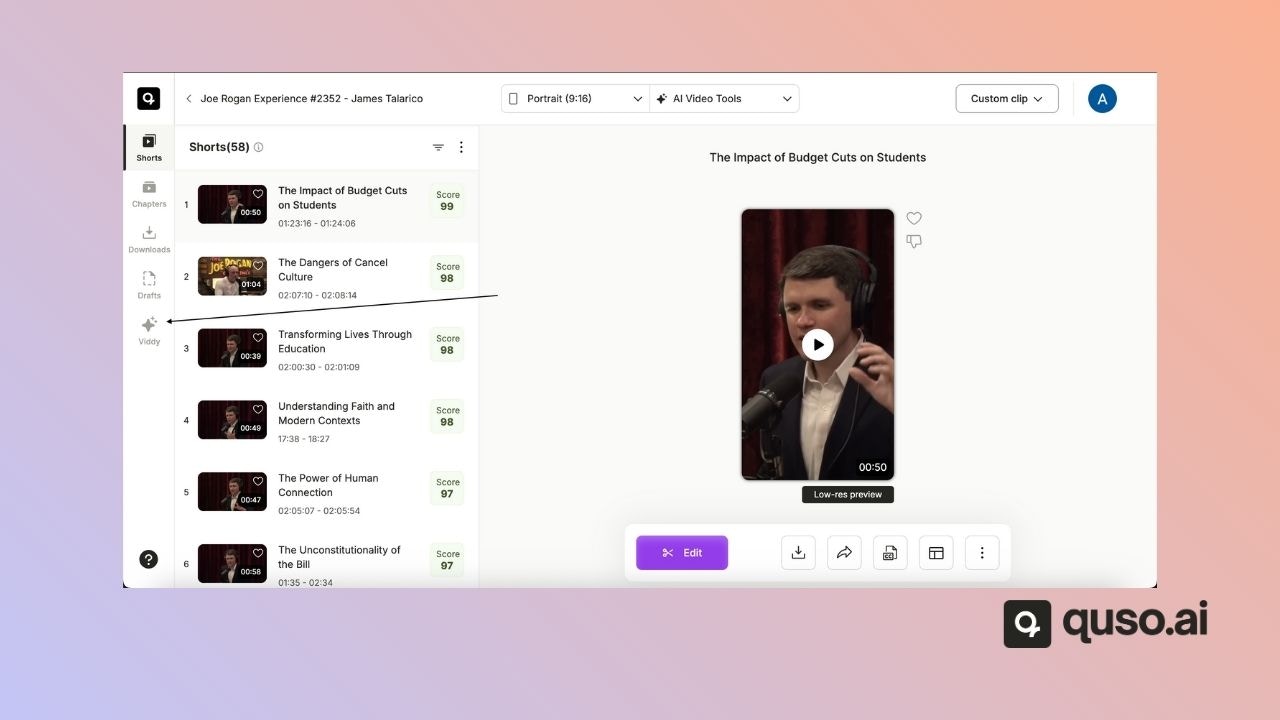
1. Go to **Viddy** in any of your projects from the side menu.
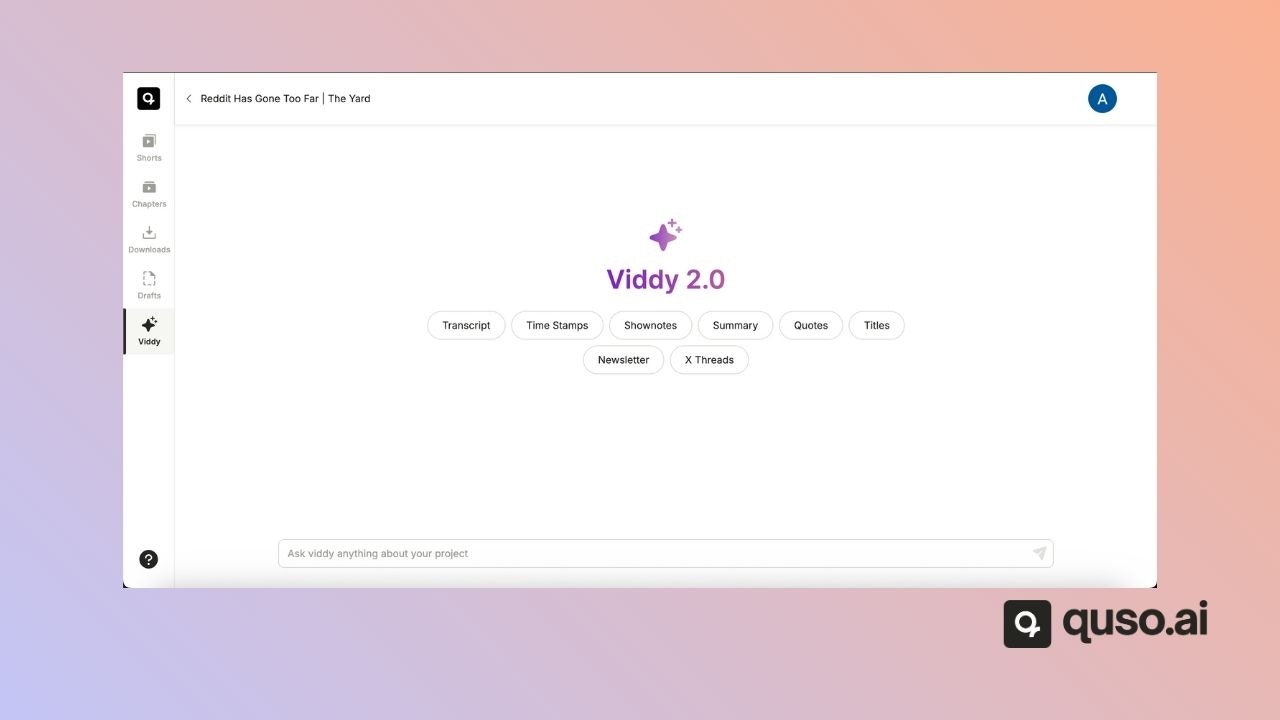
2. Provide a prompt—like “Generate blog outline” or “Draft LinkedIn captions.” Or you can choose one from the existing options.
3. Review and edit the generated content. Use **“Revert changes”** if needed.
4. Copy or download the content for use across platforms.
## ✅ Final Thoughts
Viddy is more than a writing assistant — it's your content strategist, copywriter, and repurposing engine in one. Whether you're building a personal brand or scaling a content team, Viddy helps you publish smarter, not harder.
Ready to try it? Head to your dashboard and start prompting.
 2. Provide a prompt—like “Generate blog outline” or “Draft LinkedIn captions.” Or you can choose one from the existing options.
 3. Review and edit the generated content. Use **“Revert changes”** if needed.
4. Copy or download the content for use across platforms.
## ✅ Final Thoughts
Viddy is more than a writing assistant — it's your content strategist, copywriter, and repurposing engine in one. Whether you're building a personal brand or scaling a content team, Viddy helps you publish smarter, not harder.
Ready to try it? Head to your dashboard and start prompting.
3. Review and edit the generated content. Use **“Revert changes”** if needed.
4. Copy or download the content for use across platforms.
## ✅ Final Thoughts
Viddy is more than a writing assistant — it's your content strategist, copywriter, and repurposing engine in one. Whether you're building a personal brand or scaling a content team, Viddy helps you publish smarter, not harder.
Ready to try it? Head to your dashboard and start prompting.