

Supported Social Media Platforms
quso.ai publishes to 12 social networks. Each social set holds one account per network, and you can add more social sets to post for more brands or clients. Reach out to us at [email protected] if you need help linking an account.Facebook
Learn how to connect your Facebook Page
Instagram
Connect your Instagram Profile by following the steps here
YouTube
YouTube
You can connect your YouTube channels for seamless posting of videos and shorts.
LinkedIn
Connect Your LinkedIn Profile or Page
TikTok
TikTok
How to Connect Your TikTok Account
X/Twitter
X/Twitter
Here are the steps to connect your X/Twitter account.
Pinterest
Here are the steps to connect your Pinterest board
Bluesky
Bluesky
Link Bluesky with your handle and an app password: Connect Bluesky
Threads
Threads
Link Threads by signing in with Instagram: Connect Threads
Telegram
Telegram
Link a channel or group by adding our bot as an admin: Connect Telegram
Reddit
Link Reddit and post to any subreddit: Connect Reddit
Snapchat
Snapchat
Link a public professional profile: Connect Snapchat
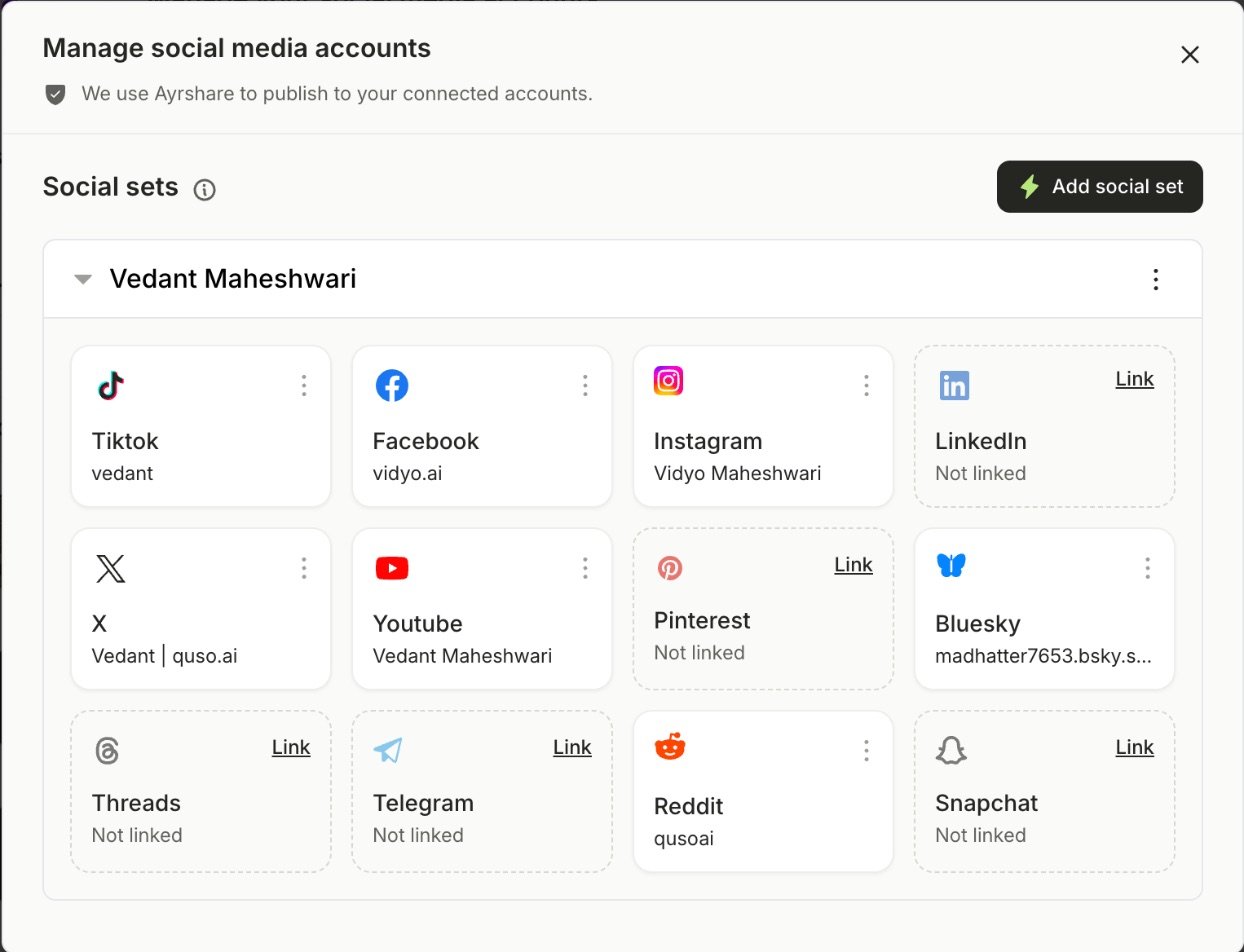
Understanding Social Sets
We support linking of “sets” of social media accounts. All paid plans come with 1 set of accounts. Each social set holds one account on each network: TikTok, Instagram, Facebook, LinkedIn, X, YouTube, Pinterest, Bluesky, Threads, Telegram, Reddit and Snapchat. You can purchase and set up multiple social sets. The Lite plan offers only Tiktok account linking.Essential & Growth plans allow you to link all 12 networks listed above in sets.
Social sets are incredibly helpful when you want to connect social media accounts of multiple clients that you are working with.
Connect Your Social Media Accounts
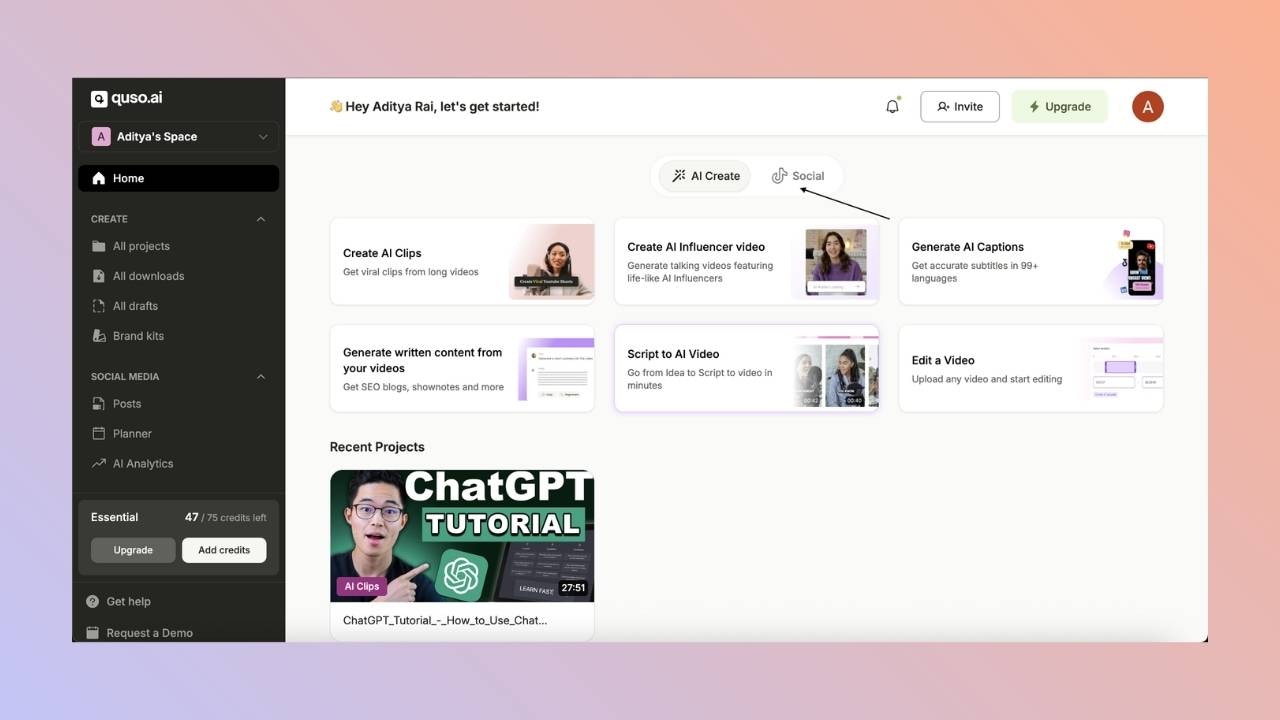
- Click on the Social tab from the home page:
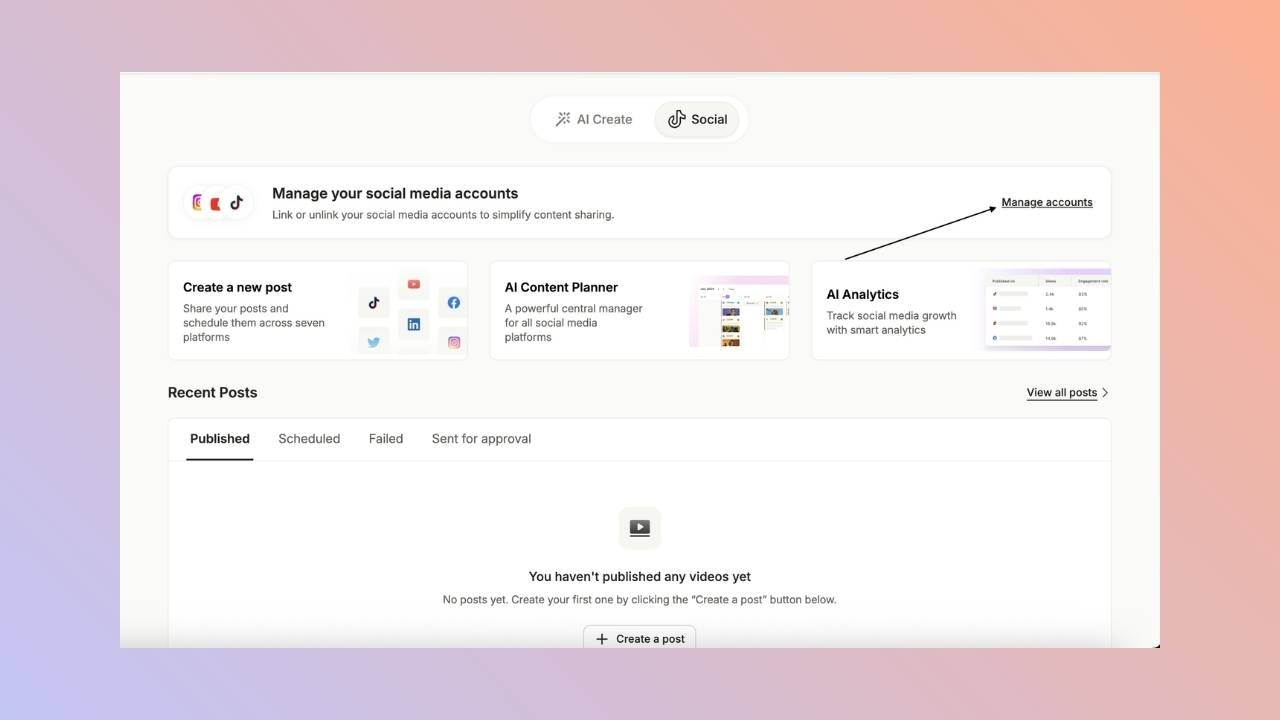
- Once you are in the Social tab, click on the Manage Accounts button
- You can then click on the link button for the social media account that you wish to connect with the platform.
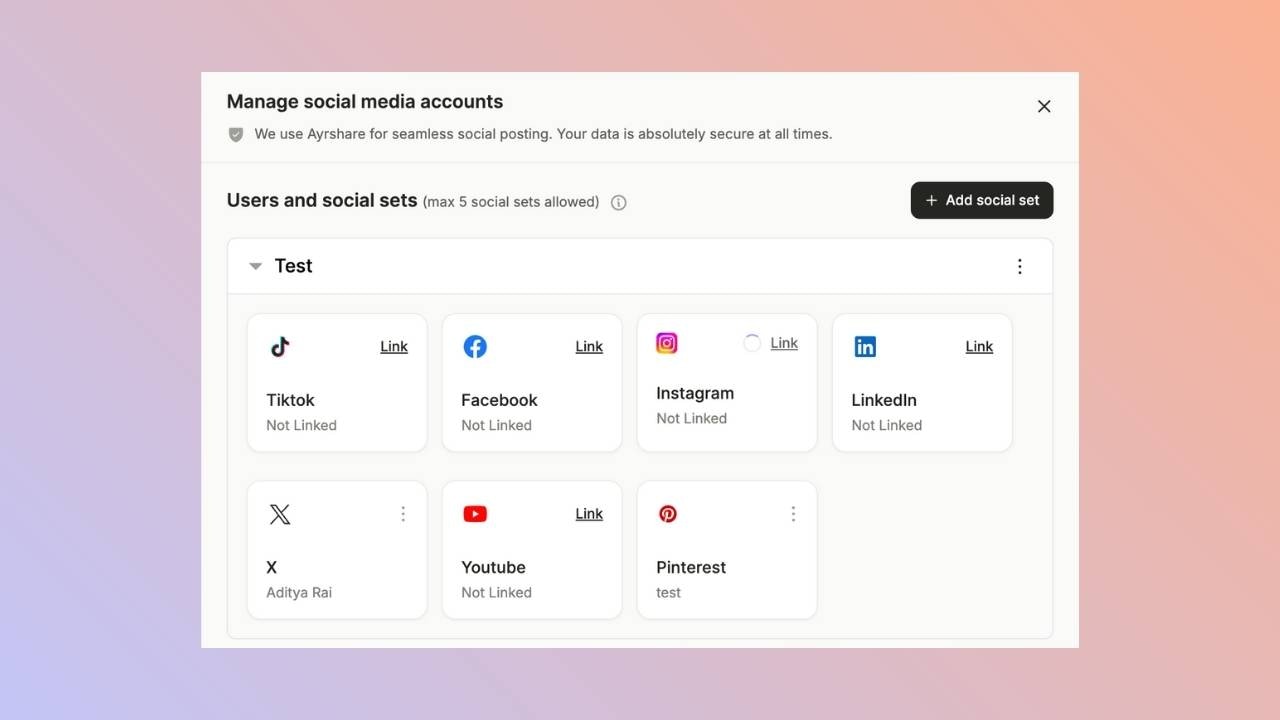
- Once you click on Link, it will take you to a pop-up page where you can select the account you wish to link with our platform.