

How are subscription payments processed?
When you subscribe, Paddle’s secure checkout charges your payment method and renews your plan automatically at the end of each billing period. Paddle also issues your invoices and handles taxes such as VAT and GST for your country. The currency is set from your location, and the payment methods available at checkout depend on your country.Do I need a credit card to try quso.ai?
No. The Free plan needs no card. You can sign up and start making clips right away with 75 free credits a month. When you need more credits or features, upgrade to a paid plan. See Subscription plans.Update your payment method
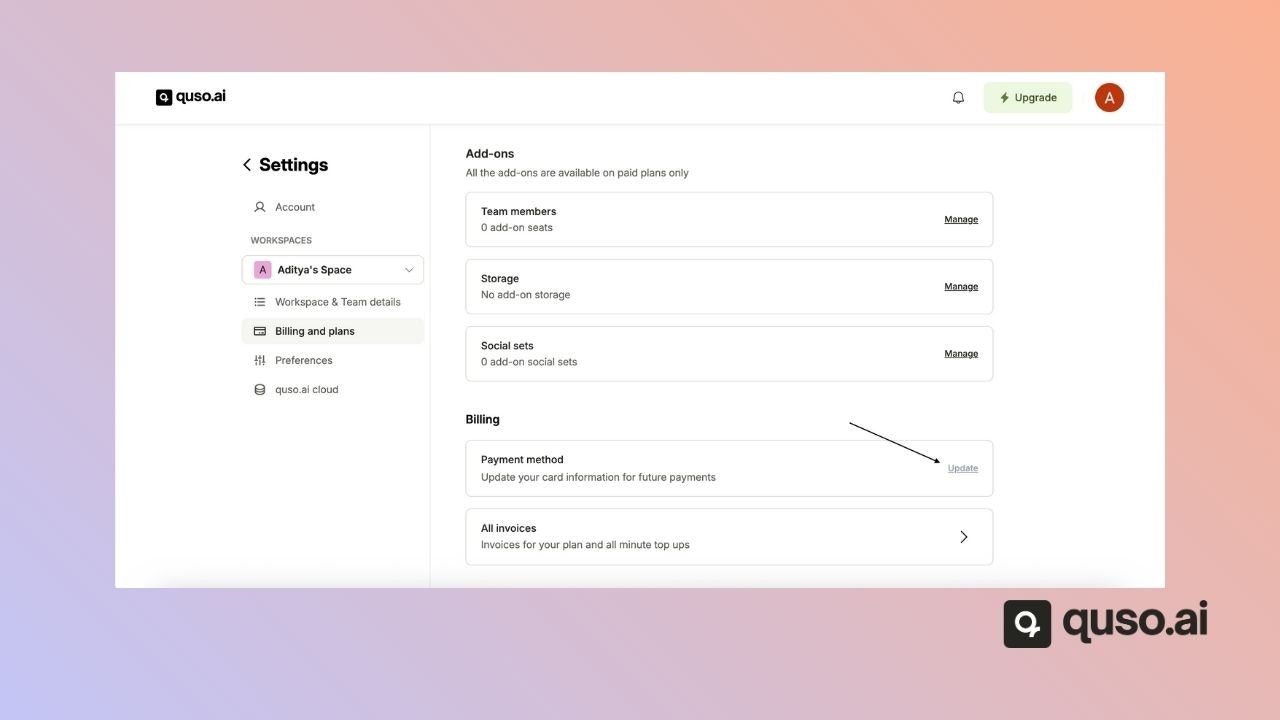
Only the workspace owner can change billing details. Step 1: Go to Settings → Billing & Plans.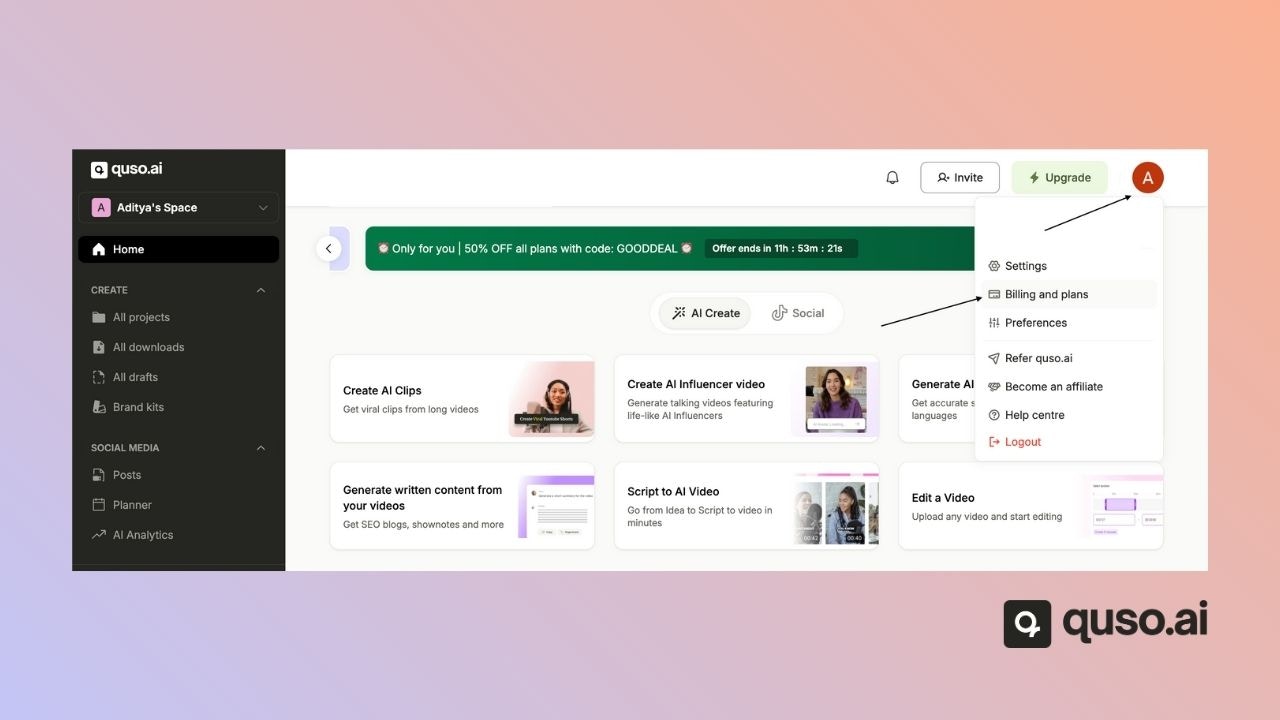
FAQ
Can I change my billing currency?
Can I change my billing currency?
Not in the app. quso.ai sets the currency from your location. Email [email protected] if you have a region-specific issue.
Where are my invoices?
Where are my invoices?
In Settings → Billing & Plans, under invoices. See Download invoice.
Can I get a refund?
Can I get a refund?
Subscription payments are generally non-refundable. If something went wrong, email [email protected] and the team will look at your case.