

Where can I find my invoices?
Step 1: Go to Billing & Plans
Open Settings and select Billing & Plans.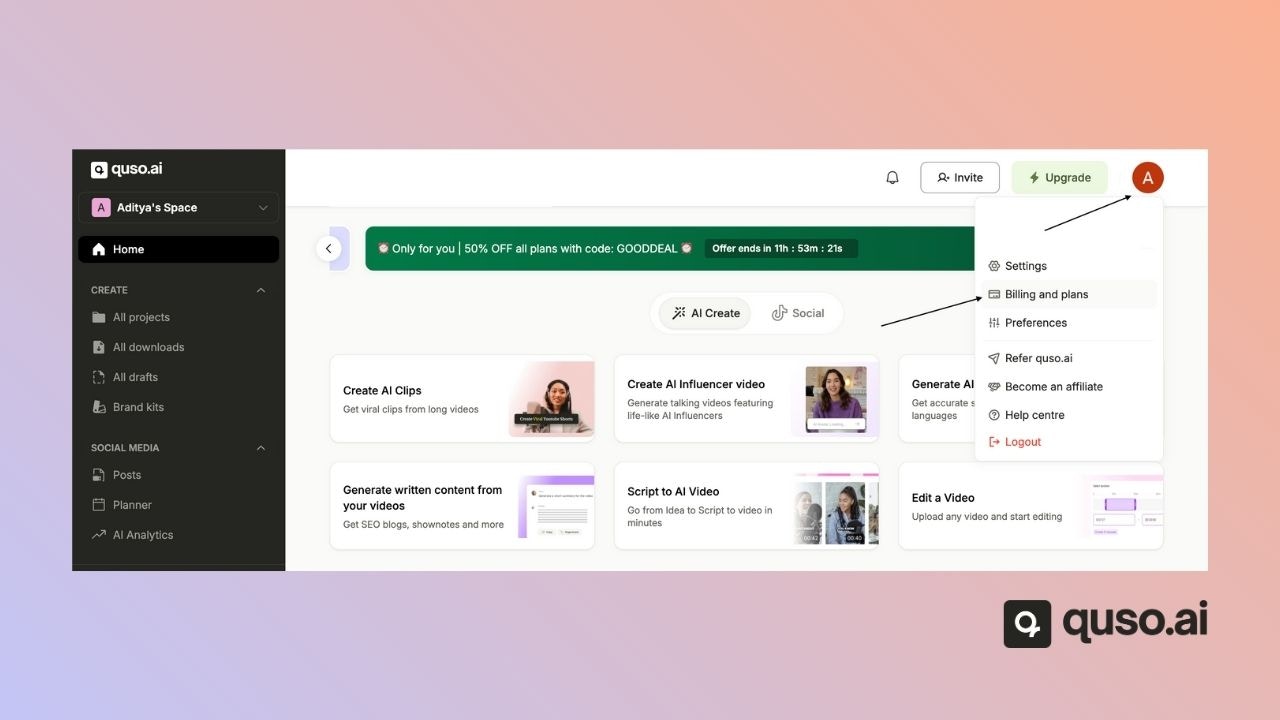
Step 2: Find the invoice
Scroll down to the invoices list and download the invoice you need.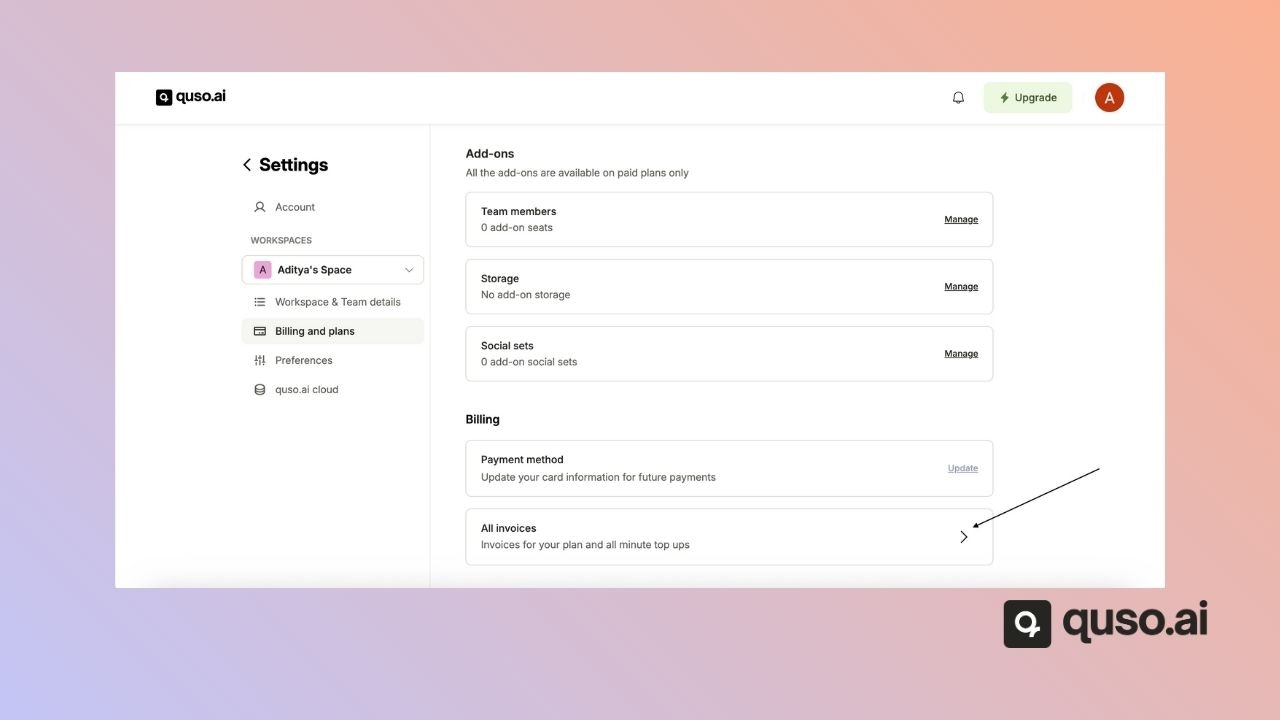
FAQ
Can I add my company name or tax ID to an invoice?
Can I add my company name or tax ID to an invoice?
Email [email protected] with the details you need on the invoice.
I'm a team member and can't see invoices. Why?
I'm a team member and can't see invoices. Why?
Billing belongs to the workspace owner. Ask the owner to download the invoice, or email support from the owner’s account email.