You can post content to your social media pages directly from Quso.ai; no need to upload videos to your Quso media library first. Here’s how:

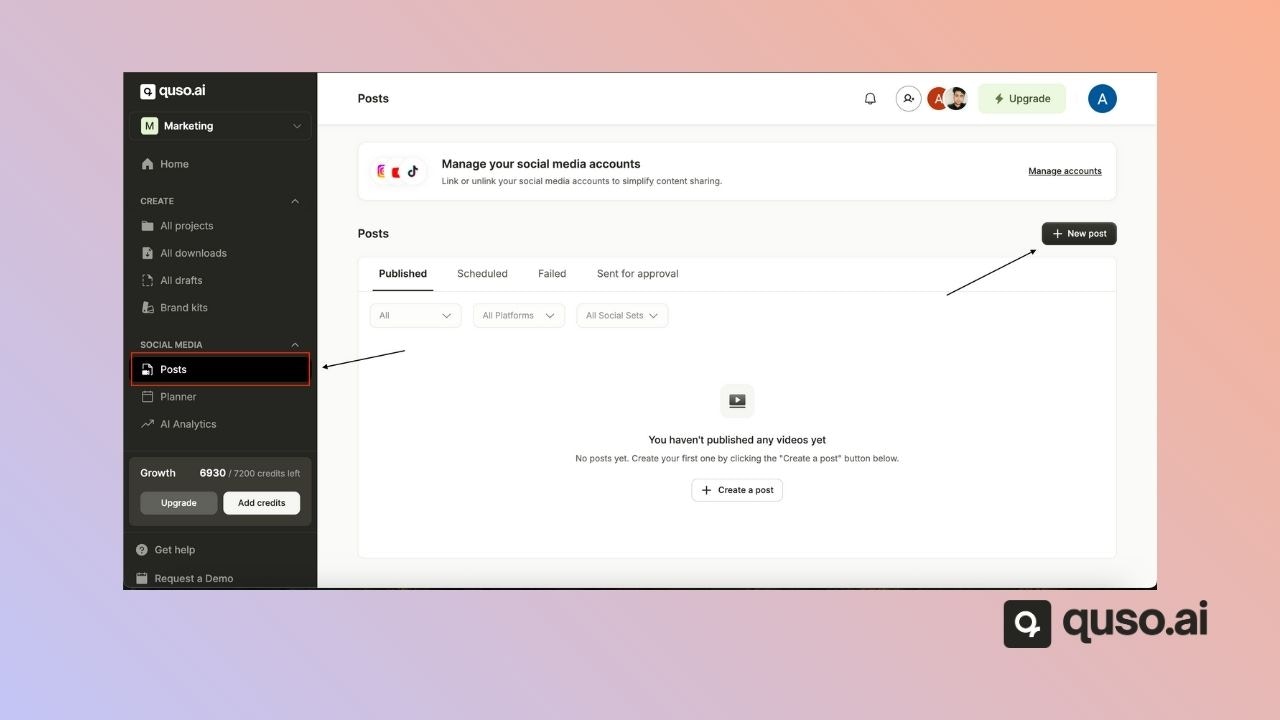
βœ… Step 1: Navigate to the Posts Page

From the sidebar, go to Social Media β†’ Posts.

βž• Step 2: Create a New Post

Click the β€œNew Post” button to start creating your content. Publish External Content Jp
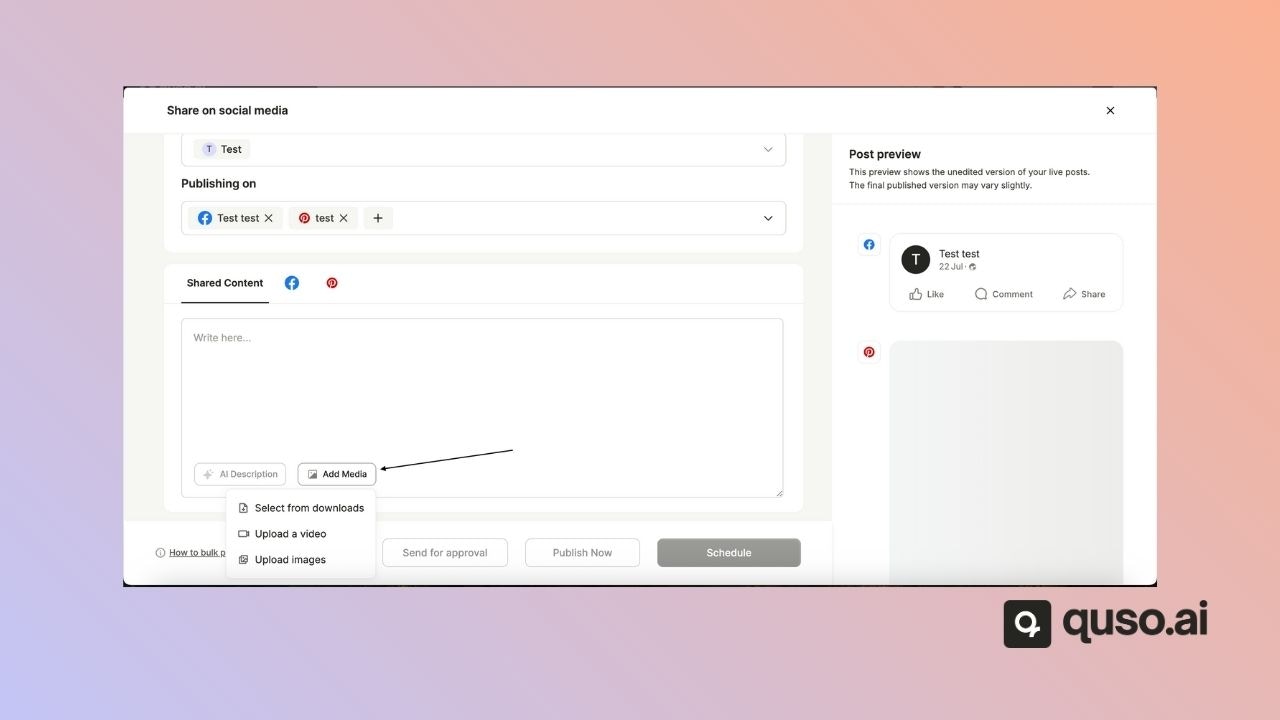
πŸ“ Step 3: Upload Media

A pop-up window will appear where you can select the images or videos you want to publish. To upload multiple files at once, hold down the Shift key (or Ctrl/Command key) while selecting your files. Publish External Content Select Media Jp
🌐 Step 4: Select Platforms & Customize

Choose which social media platforms you want to publish to.
Add your caption, hashtags, and any text for each platform.
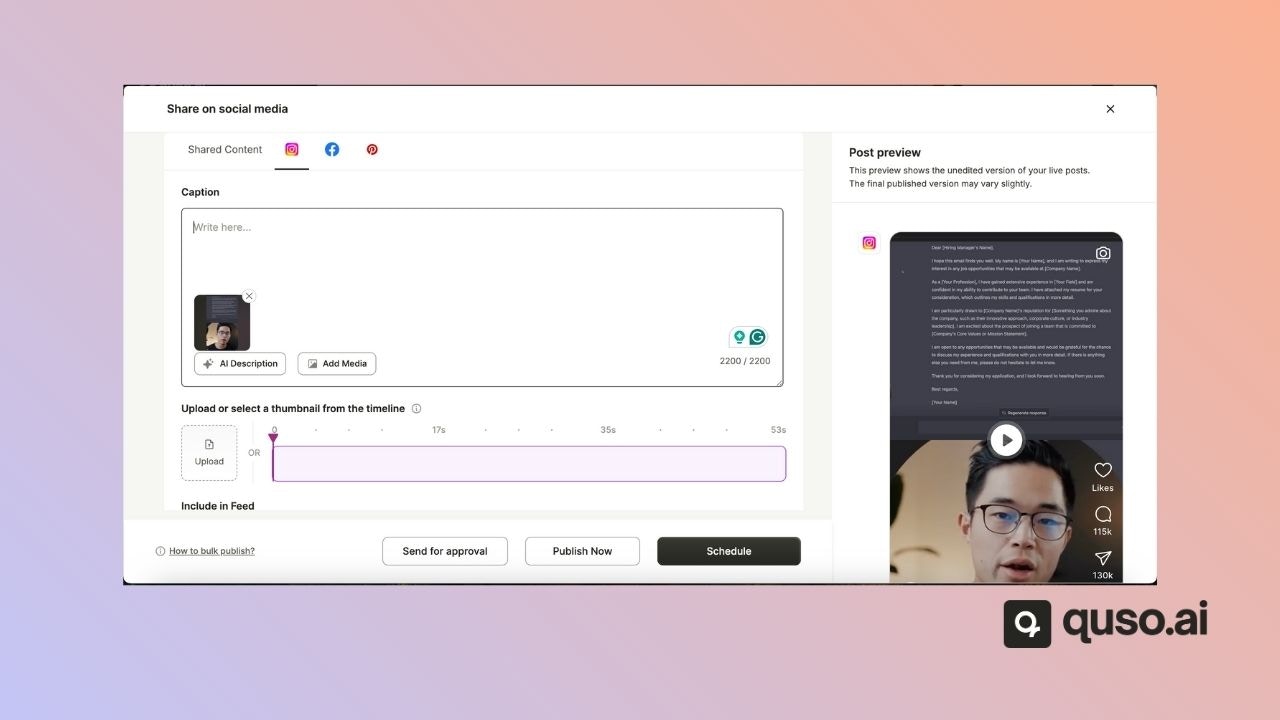
Each platform may have unique settings β€” take a moment to explore and customize each one before posting.
Publish External Content Captions Jp

πŸš€ Step 5: Schedule or Publish

Once everything’s set:
  • Click β€œPublish Now” to post immediately
  • Or choose β€œSchedule” to set a future time

πŸŽ‰ That’s it β€” You’re Ready to Post!

With just a few clicks, you can seamlessly publish content across your social platforms without uploading to Quso.ai’s media library. Whether you’re scheduling in advance or posting in the moment, this streamlined workflow keeps your content moving efficiently. If you ever get stuck or have questions, our support team is just a message away. Happy posting! πŸš€