

What uses credits?
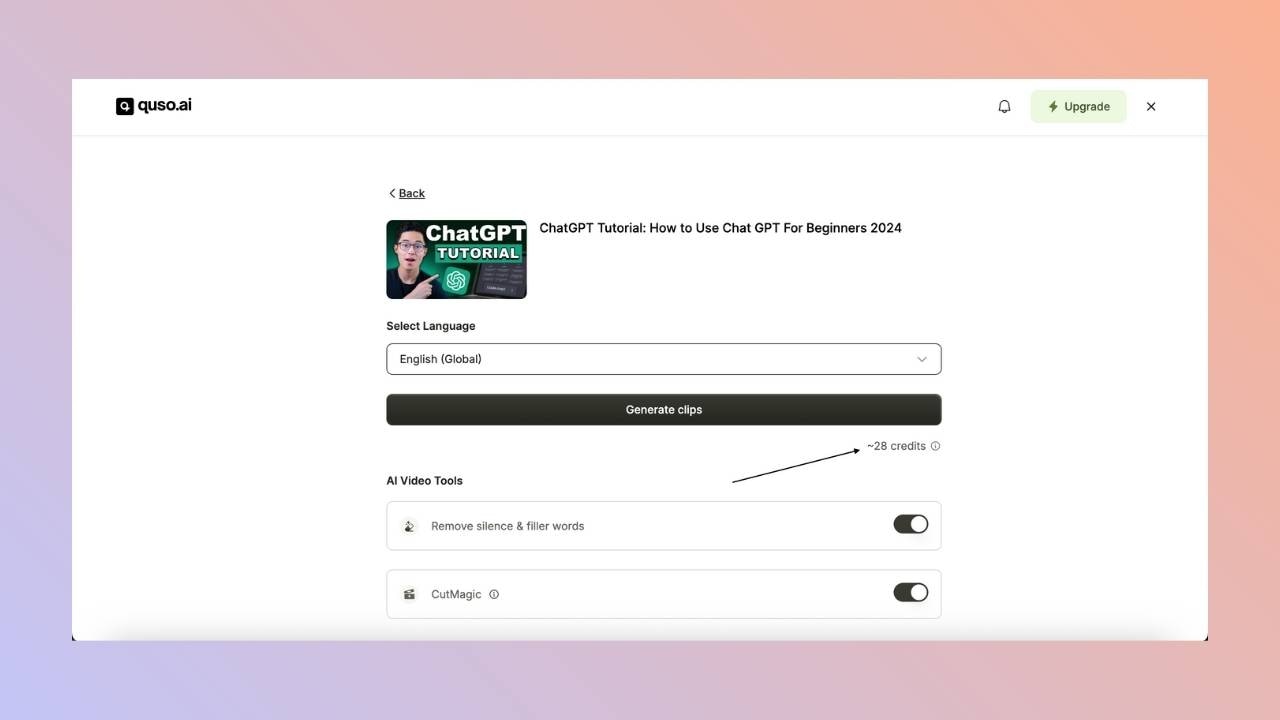
Credits are deducted when you import a video, whether you upload a file or paste a link, into:- AI Clips (Long to shorts)
- AI Captions
- AI Writer
- A 42-minute video uses 42 credits.
- A 25 min 40 s video is rounded up and uses 26 credits.
- A 40-second video uses 1 credit.
The credit cost is always shown before processing starts, so you know how many credits a video will use before any are deducted.
When do credits reset?
- Monthly plans: your credits reset at the start of each billing month. Unused plan credits do not roll over.
- Annual plans: you get all 12 months of credits upfront when the year starts. They reset at the end of the 12 months.
- Free plan: 75 credits renew every month. In a few countries the free credits are a one-time grant instead.
- Add-on credits that you buy separately do not expire.
Credit plans and Pay as you go
In some countries, quso.ai offers monthly credit plans (for example 150, 400, 1,000 or 2,500 credits a month) or Pay as you go credit packs (for example 100, 250 or 500 credits, paid once). Credits on these plans do not expire while you are subscribed. If you cancel a credit plan, your remaining credits are frozen until you subscribe again. These plans include the Growth plan’s features.Credit refunds
- If a video fails to process, the credits are refunded automatically.
- If a project is locked because you ran out of storage, deleting it refunds its credits.
- If you are not happy with the result, email [email protected] and the team will review a credit refund.
How do I get more credits?
-
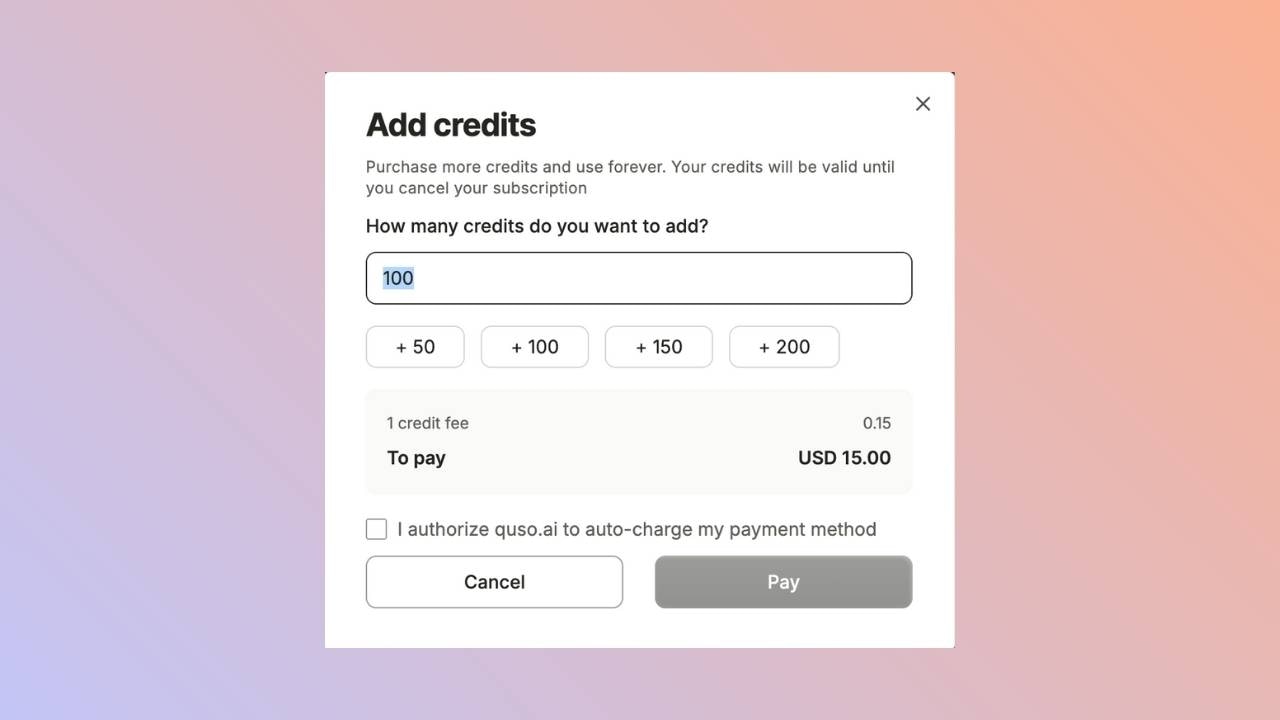
Buy extra credits: click Add Credits at the bottom left of the home page. You can buy between 40 and 10,000 credits at a time, and they are charged to your subscription right away. The price per credit is shown at checkout and depends on your region.
- Upgrade your plan: higher plans include more credits each month. See Subscription plans.
- Switch to annual billing: you get all 12 months of credits upfront.
How are credits shared in a team workspace?
Only the workspace owner can buy a plan, add-ons or extra credits. Once the plan is active, all members share the workspace’s credits.FAQ
How many credits does a 1-hour podcast use?
How many credits does a 1-hour podcast use?
60 credits. Credits are based on the length of the video you import, not on how many clips you get.
Does editing or exporting a clip use credits?
Does editing or exporting a clip use credits?
No. Editing, rendering, downloading and publishing clips are free once the video is imported.
Do unused credits roll over?
Do unused credits roll over?
Plan credits on monthly and annual plans do not roll over. Add-on credits, credit plan credits and Pay as you go credits do not expire.