

On the Free plan, CutMagic is not included. In some countries, free accounts get CutMagic on their first 3 videos.
How to turn on CutMagic
Turn on CutMagic on the import screen, under the AI tools, before you click Generate Clips. It is on by default for paid plans.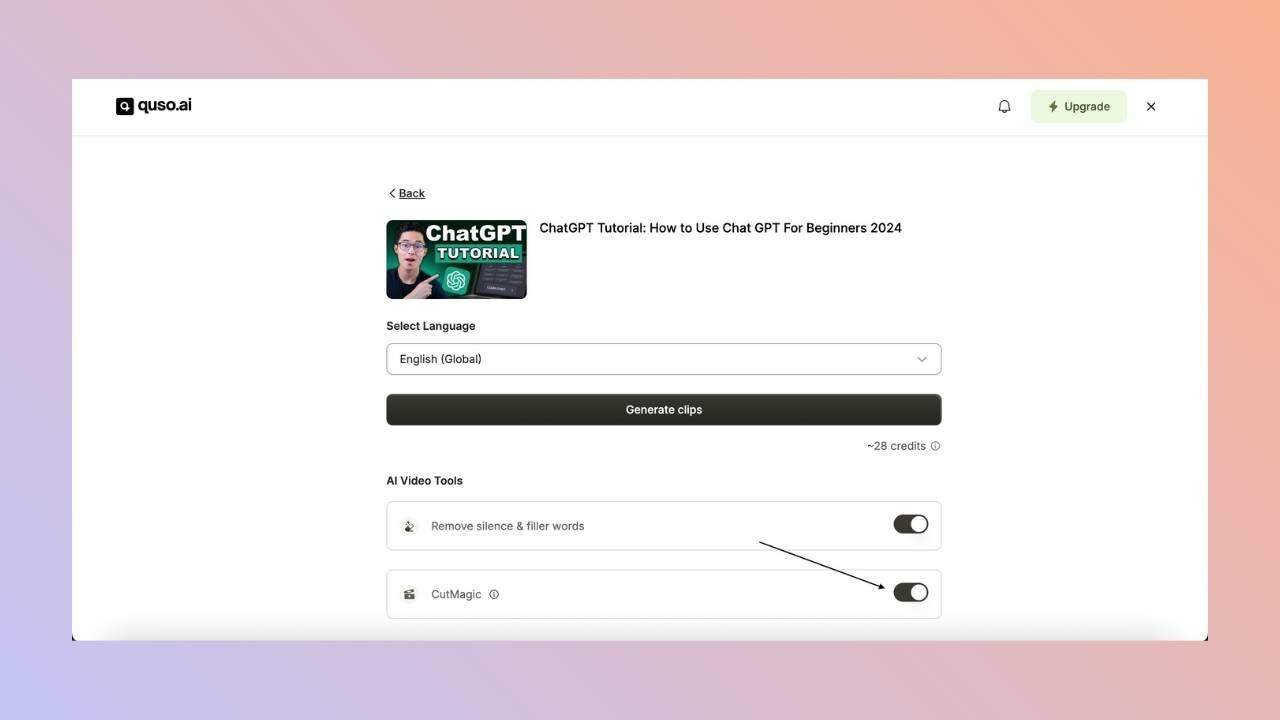
What does CutMagic do?
- Detects scenes: marks every scene change so you can adjust or remove cuts quickly.
- Handles multiple cameras: recognizes different camera angles and switches between them, which is ideal for interviews and events.
- Picks a layout per scene: chooses from 9 layouts, such as single speaker, two speakers, or screen plus speaker. See CutMagic layouts.
- Places subtitles where they don’t cover faces or screens.
FAQ
Which aspect ratio does CutMagic work in?
Which aspect ratio does CutMagic work in?
CutMagic layouts are made for 9:16 portrait clips.
Can I change the layout CutMagic chose?
Can I change the layout CutMagic chose?
Yes. In the editor’s CutMagic tab, pick a different layout for any scene, crop or reframe elements, or add a new scene cut. See CutMagic layouts and How to use the timeline with CutMagic.
Does CutMagic use extra credits?
Does CutMagic use extra credits?
No. The credit cost is the same with or without CutMagic.